Building, playing, and testing
On the command line these are four commands. In Chord Writer they are two menus and four tabs, running the same toolchain underneath.
Compose happens on its own
Composing is not something you invoke. Chord Writer composes the story you are editing a moment after you stop typing, and keeps Problems current.
Problems lists structured compile diagnostics, not raw compiler text. Each one points at a place in your story, and clicking it takes you there. Some carry a fix you can apply directly.
When an error needs more than a line to explain, the Diagnosis tab in the right panel carries the longer version.
Build
Build → Build (Cmd-B) builds the story, and Build → Cancel Build
(Cmd-.) stops one in progress.
The right panel switches to Build when a build starts, so you are looking at the output while it happens rather than finding it afterwards. On a build that succeeds and goes on to run, the panel switches to Play.
Play
The Play tab is the game, running, in the panel. Type as a player types.
Errors raised by the running game go to the Game Errors tab in the bottom dock instead of into the game text. This keeps the transcript readable as a transcript: what a player would have seen, uninterrupted, with the machinery kept somewhere else.
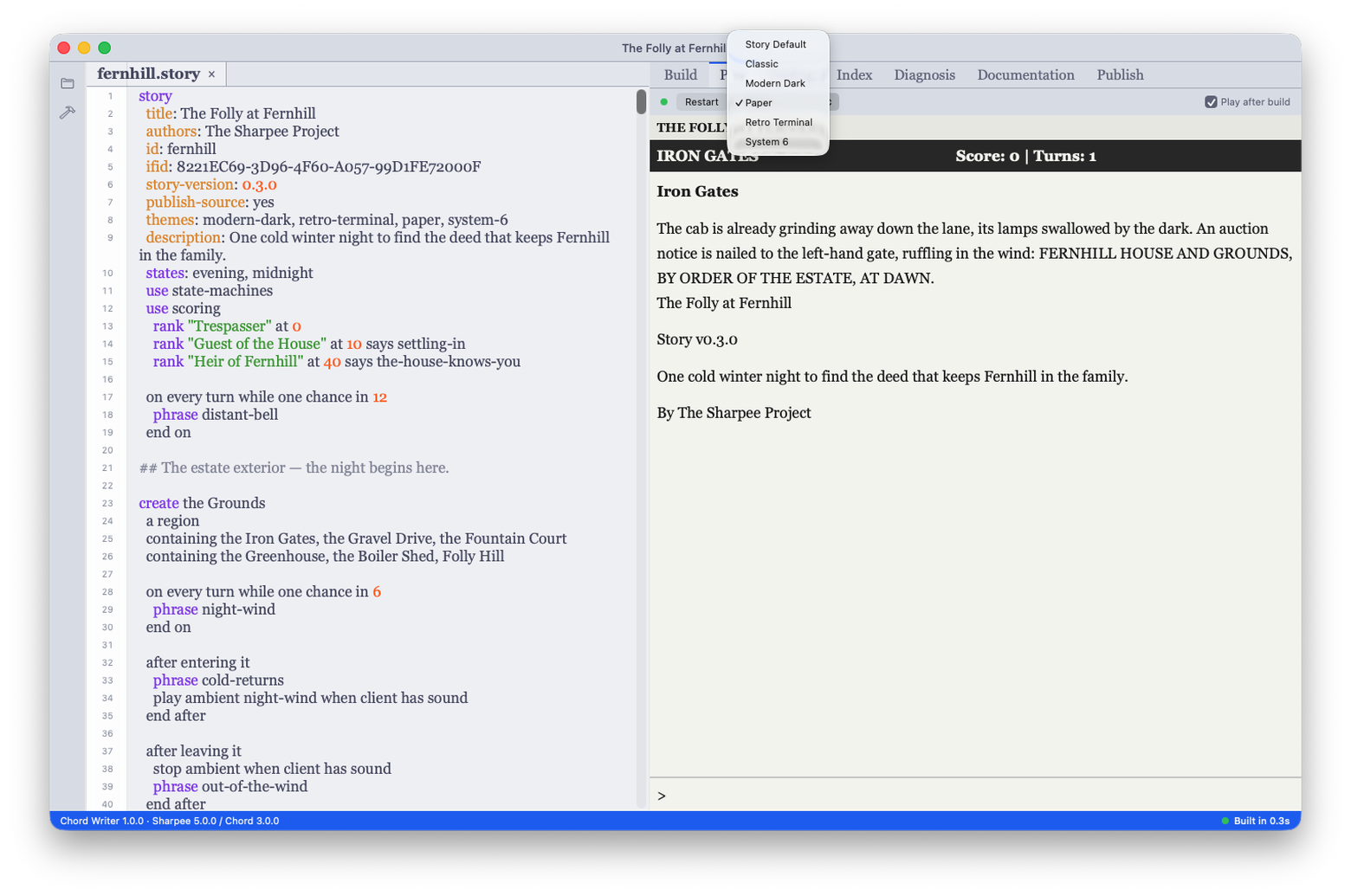
The picker beside Restart previews your story under any built-in theme without touching what you wrote. It is app chrome, not a story edit: leaving it on Story Default plays the theme your story header asks for, and picking one overrides only this pane, only for you.
Index
The Index tab lists what your story defines, read out of the composed story rather than parsed from the source. It is one rendering of one composed result, which is why there is no separate structure view in the project pane.
Testing
The Testing tab is where your tests live — and where they are made.
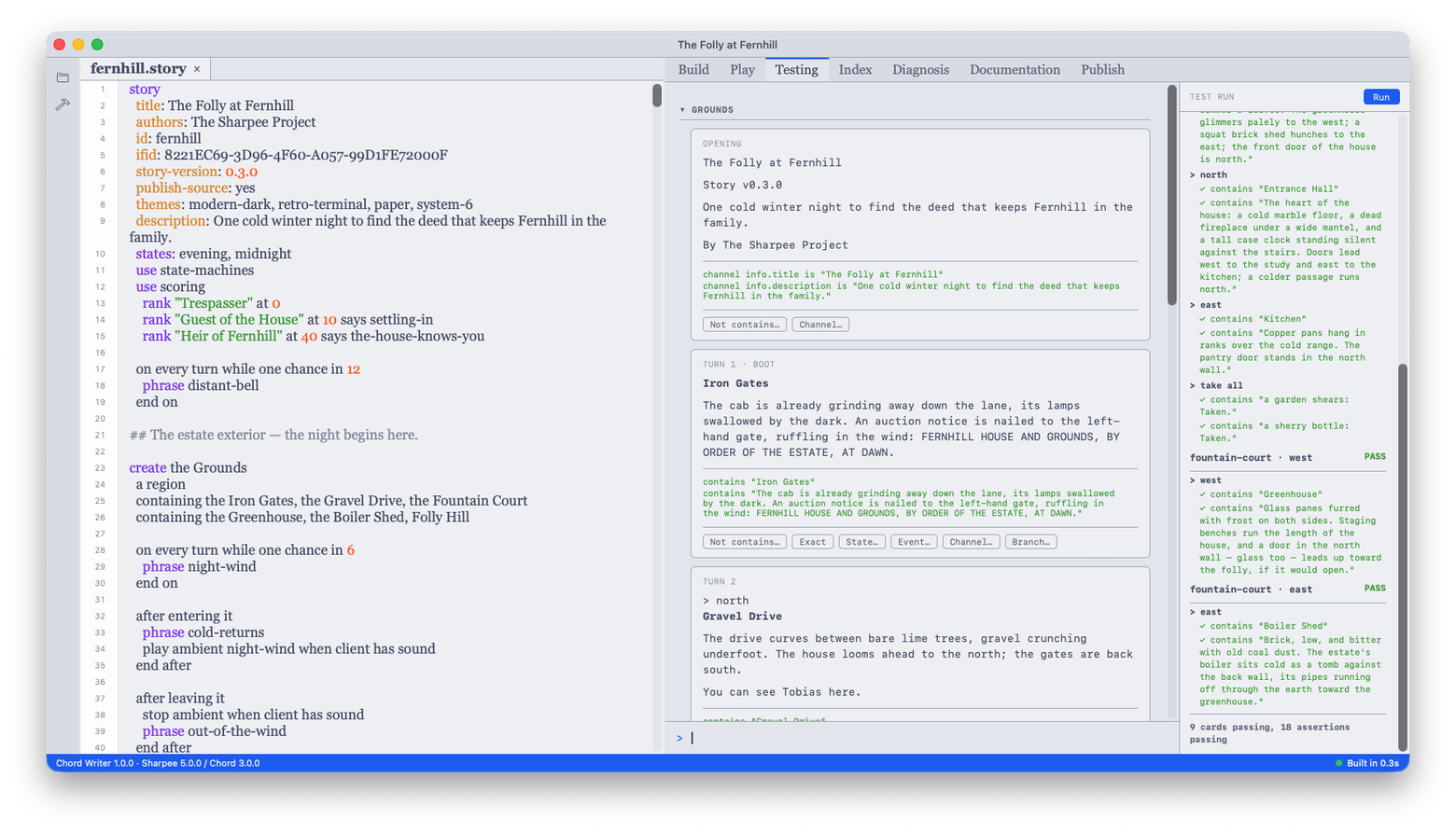
Playing in the Testing tab is recording: every turn you type becomes a
card, and Chord Writer writes down what the story actually said as that
card's claims. Under the default policy that is the room's name and
description; declare auto-assertion: in your story header to choose
differently, and add or remove claims on any card by hand.
The whole tree saves beside your story as <story-id>.tests.json — one
document, the single source of truth for your tests. There are no test files
to name, arrange, or keep in sync; the tree is the suite.
Branch from any card to test an alternative path — the branch replays your story to that point and diverges from there. Cards group by the region their room belongs to, and groups collapse as the suite grows.
Test → Run Tests replays the whole tree fresh from boot at the story's pinned seed and evaluates exactly what the document says; Test → Cancel Test Run stops a run. Every card and every claim gets its own verdict in the run column, and the tally counts both: cards and assertions, passing and failing.
The same run works from the command line: sharpee test in the project
directory finds the document and replays it against your compiled story.
The document's shape and every claim family it can carry are on the
sharpee test page.
Next
Publishing covers packaging a story for release.